Microsoft InfoPath 2013 Advance Training:
InfoPath 2013 is a forms-creation and data-gathering tool that helps organizations streamline business processes. This training on InfoPath training are advance lessons on understanding the InfoPath application in creating views, publishing data, advanced data techniques and digital signatures.
The following is the sectional description of this course on InfoPath 2013;
Creating Views- In this section we shall introduce understanding creating a view, creating a print view, setting view properties and using buttons to switch views.
Publishing Options- This section is about understanding submit options, understanding security and publishing, submitting using email, publishing on a network share, distributing using email, using quick publish and viewing the files InfoPath creates.
Publishing a Template in SharePoint- This module covers publishing InfoPath templates in SharePoint, submitting a form to a SharePoint library, promoting columns to SharePoint, changing SharePoint library views for InfoPath forms, modifying a form library template and publishing a form to a SharePoint list.
Advanced Data Techniques- Here we shall understand data connections, creating a data connection to a SharePoint list and creating a list or combo box based on an XML file.
Using Advanced Templates- Here we specifically understand the process of creating and using template parts, importing an excel form, importing a word form and creating a template based on an XML or schema file.
Digital Signatures- Here we will be understanding digital signatures, enabling digital signatures in a form, using digital signatures in a form and applying a developer digital signature in a form.
Target Customers:
- Users with no previous experience in programming
- Who want to learn how to design form templates
- Students
Pre-Requisites:
- A basic knowledge of core MS Office (Word, Excel, Outlook)
- Knowledge of relational databases is recommended
- Basic knowledge of using Infopath.
Section 1 Switch View
1 Switch Views Using Button
2 Switch Views Using Button Continues
3 Advance and Extra Info
Section 2 Publish to SharePoint
4 Publish to Share Point
5 Publish to Share Point Continues
6 Site Content Type
7 Design Checker
Section 3 Template Part
8 Template
9 Template Continues
10 Working on Alignment
Section 4 Data Connection
11 Data Connection File
Section 5 Digital Signature for InfoPath Filler
12 Digital Signature for InfoPath Filler
13 More on Digital Signature
14 Signature Line Properties
Section 6 Digital Signature for Web Browser Form
15 Web Browser Form
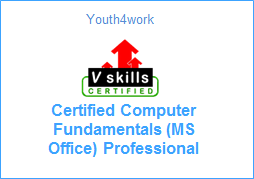
Here is a sample for the course completion certificate which you will receive after complete the course. This certificate is widely accepted across industries and will boost your chances to grab the job opportunities.
Mail us at: [email protected] with below details to receive your certificate:
- Name
- Course Name
- Date of Completion
- Address