-
-
![]()
1. Introduction
-
![]()
2. Course Curriculum
-
![]()
3. Certificate
-
- Course Details
- Course Curriculum
- Sample Certificate
- Review
- Education
- online course
- Certificate
- Microsoft Word Advance
Course Curriculums
Course Description:
This online training on Advanced Microsoft Word 2010 will help you to comprehend the significant functionalities in Microsoft Word. The video lectures will prove helpful in learning the advance features and concept of functioning with Tables, document structuring blocks, styles & themes, reviewing documents and many others. The entire course has been divided into various modules for better understanding of the topic. The following are the sub topics;
Styles & Themes- In this module you will learn about the various themes in Microsoft word 2010, then you would see how to change style sets colors, work with fonts & paragraph spacing, also we will see how to create quick styles and table of contents and finally restrict formatting and create multi-level list.
Functioning with Tables- In this section we are going to learn about various aspects such as understanding the use of tables and how effectively they can be represented in word, converting text into table, formatting and adding rows in a table. It also explains how to create a form, use of excel spreadsheet, sorting of data and at last converting table into text.
Document Structuring Blocks- Through this module we are going to understand the creation of cover page, how to number pages, adding headers, footers & text box and customizing headers and footers on the word document.
Sharing a Document- This video tutorial will teach how to share your word document.
Reviewing Documents- Here in this section we will understand how to track changes, accepting & rejecting changes and at last comparing & combining changes.
Working with Mail Merge- Through this video you would learn how to mail merge in Microsoft word 2010.
Finalizing & Protecting a Document- In this tutorials we would see the protection of your word document.
At the end of the course you must have learned all the advance features of Microsoft word and will be in a position to make your word document more impactful.
What are the pre-requisites?
Microsoft Word 2010 installed on the PC
A PC with internet
What am I going to get from this Microsoft word 2010 – Advanced course?
More than 1.5 hours of video lectures
Practice files included for better learning
Course goal is to make sure that every learner learns the advanced features of Word.
Study Styles & Themes, Functioning with Tables, Document Structuring Blocks
Study Sharing a Document, Reviewing Documents, Working with Mail Merge
Study Finalizing & Protecting a word Document
Who should take this Microsoft word 2010 – Advanced course?
Users of Microsoft Word
Students, Working Professionals, Enthusiastic learners
How to access:-
Step 1 - eduCBA sends the redemption coupon along with the registration link.
Step 2 - Student will register with his register email id and coupon
Step 3 - Student receive the course access and password on his/her email id
Step 4 - Login using your email id and password and start learning
Benefits of online course:
1. High Quality Content
2. Learn Anywhere Anytime & at Your Pace
3. 24X7 Customer Support
4. Complete Student Support throughout the Program
5. Online Video Training Material
6. Lifetime course access
For any query call-
Mob-+918587999769/9818826705
Curriculum
Section 1: Advance Microsoft Word 2010
1 Advance Microsoft Word 2010 Introduction
Section 2: Styles & Themes
2 Understanding Themes 2010
3 Change style sets colours, fonts & paragraph spacing 2010
4 Creating quick styles & table of contents 2010
5 Restrict Formatting & Create Multi-level list 2010
Section 3: Functioning with Tables
6 Understanding of Tables 2010
7 Converting text into table, formatting and adding & rows in a table 2010
8 Creating a form 2010
9 Use of excel spreadsheet, sorting of data & converting table into text 2010
Section 4: Document Structuring Blocks
10 Understanding of Cover Page 2010
11 Numbering pages, headers, footers & text box 2010
12 Customizing Headers & Footers 2010
Section 5: Sharing a Document
13 Document Sharing 2010
Section 6: Reviewing Documents
14 Tracking Changes 2010
15 Accepting & Rejecting Changes 2010
16 Comparing & Combining Changes 2010
Section 7: Working with Mail Merge
17 Mail Merge 2010
Section 8: Finalising & Protecting Document
18 Protecting your document 2010
Here is a sample for the course completion certificate which you will receive after complete the course. This certificate is widely accepted across industries and will boost your chances to grab the job opportunities.
Mail us at: [email protected] with below details to receive your certificate:
- Name
- Course Name
- Date of Completion
- Address
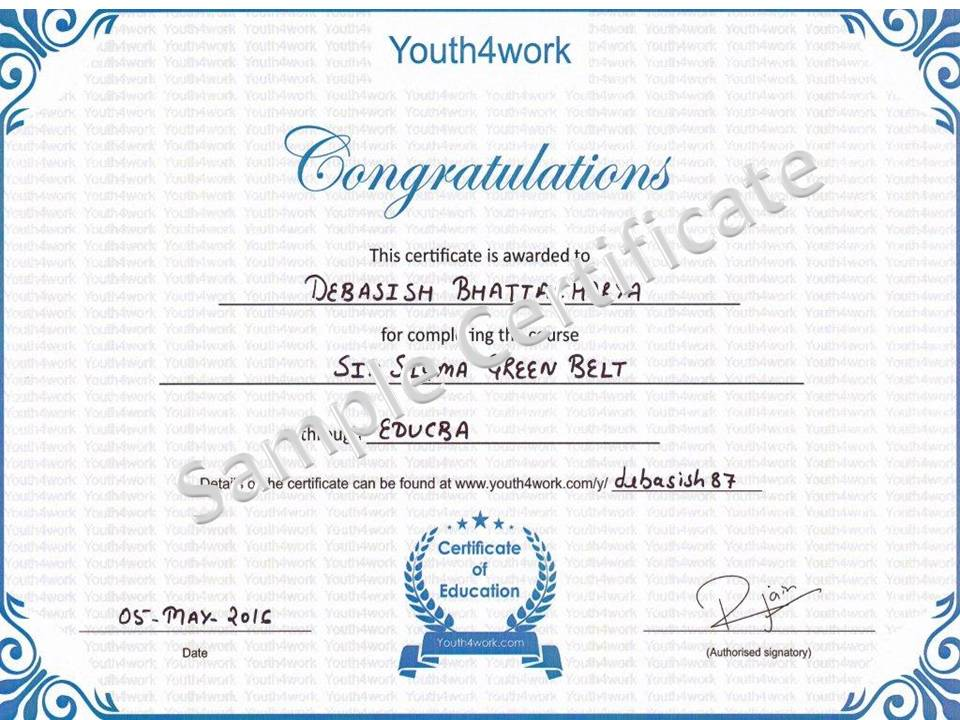
Here is a sample for the course completion certificate which you will receive after complete the course. This certificate is widely accepted across industries and will boost your chances to grab the job opportunities.
Mail us at: [email protected] with below details to receive your certificate:
- Name
- Course Name
- Date of Completion
- Address
Curriculum
Section 1: Advance Microsoft Word 2010
1 Advance Microsoft Word 2010 Introduction
Section 2: Styles & Themes
2 Understanding Themes 2010
3 Change style sets colours, fonts & paragraph spacing 2010
4 Creating quick styles & table of contents 2010
5 Restrict Formatting & Create Multi-level list 2010
Section 3: Functioning with Tables
6 Understanding of Tables 2010
7 Converting text into table, formatting and adding & rows in a table 2010
8 Creating a form 2010
9 Use of excel spreadsheet, sorting of data & converting table into text 2010
Section 4: Document Structuring Blocks
10 Understanding of Cover Page 2010
11 Numbering pages, headers, footers & text box 2010
12 Customizing Headers & Footers 2010
Section 5: Sharing a Document
13 Document Sharing 2010
Section 6: Reviewing Documents
14 Tracking Changes 2010
15 Accepting & Rejecting Changes 2010
16 Comparing & Combining Changes 2010
Section 7: Working with Mail Merge
17 Mail Merge 2010
Section 8: Finalising & Protecting Document
18 Protecting your document 2010